
DND is a common acronym in digital communication and social media slang, rooted in internet culture and frequently used by Gen Z and digital natives. This guide covers the DND meaning on Snapchat, how to use the DND feature, reasons for enabling it, step-by-step activation of DND mode, differences between DND and blocking or removing friends, scenarios for wise DND usage, pros and cons of the Snapchat DND function, additional notification management tips, and final insights for effective use.
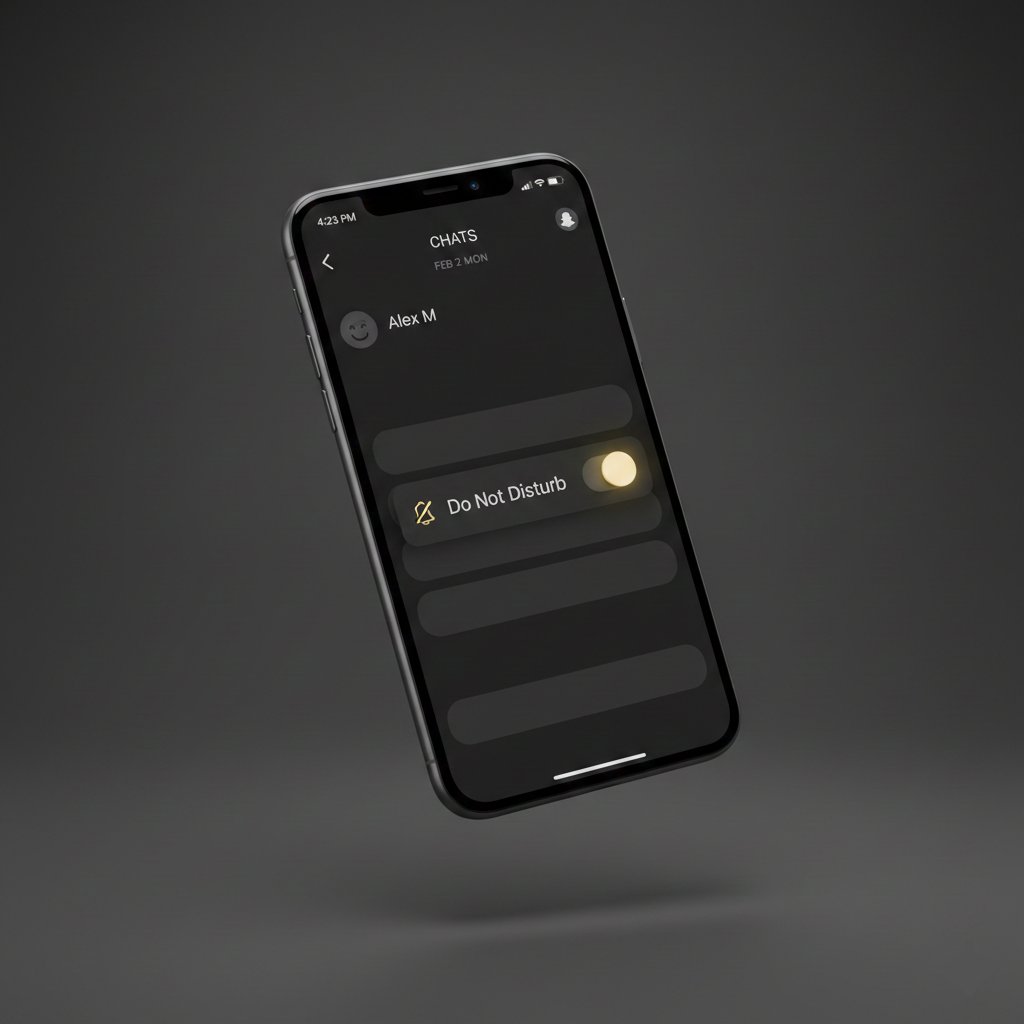
DND on Snapchat stands for Do Not Disturb (DND), a feature that silences notifications from specific friends or group chats without blocking them.
How Do You Use DND on Snapchat?
To use DND on Snapchat, apply it directly to individual chats or group conversations. When enabled, messages from that contact arrive silently, without sound, vibration, or banner alerts, while still appearing in your chat list. You can view messages anytime without the sender knowing notifications were silenced. This functionality supports seamless digital communication within Snapchat Features like direct messaging, distinct from Snapchat Stories or Snapchat Filters which have separate mute options.
Why Use DND on Snapchat?
There are four main reasons to use DND on Snapchat: avoid distractions during focus-intensive tasks, reduce notification fatigue from active group chats, maintain social connections without constant interruptions, and support mental well-being by controlling digital communication flow. DND aligns with social media trends where users prioritize intentional engagement over passive scrolling, making it valuable for students, professionals, and anyone navigating online lingo in fast-paced environments.
How to Enable DND on Snapchat
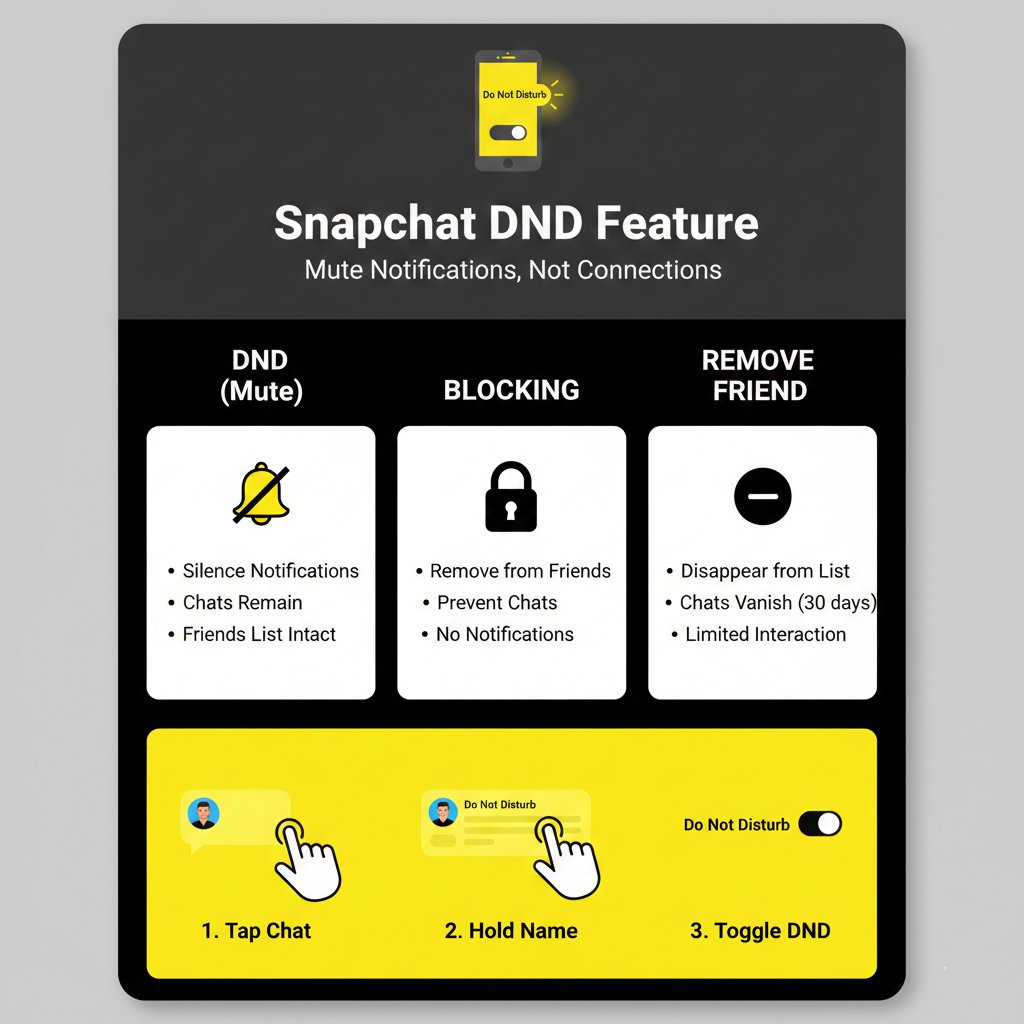
To enable DND on Snapchat, open the chat list, tap and hold the friend or group name, and toggle on “Do Not Disturb” in the menu. The chat background turns dark gray to confirm activation. To disable DND, repeat the steps and toggle it off. This setting applies only to notifications; messages still deliver normally. Snapchat notification settings for DND are per-chat, not global, giving precise control over who interrupts you.
Difference Between DND, Blocking, and Removing a Friend
DND, blocking, and removing a friend serve distinct purposes in Snapchat’s privacy ecosystem. With DND, notifications silence but messages deliver and Stories remain visible. Blocking stops all messages, hides your Stories, removes the friend instantly, and prevents re-adding without your approval. Removing a friend deletes the connection but allows them to send a new request; notifications resume if accepted. DND preserves the relationship quietly, while blocking and removing alter visibility and interaction permanently or temporarily.
When to Use DND Wisely
Use DND wisely during work hours, study sessions, sleep periods, or important events like meetings or family time. Apply it to high-activity group chats during exams or to specific contacts when you need uninterrupted focus. Avoid using DND long-term for close contacts who may send urgent messages. DND works best as a temporary tool for managing social media slang expectations without signaling disinterest, unlike blocking which can appear confrontational.
Pros and Cons of DND on Snapchat
There are three pros of DND on Snapchat: reduced distractions during critical tasks, maintained friendships without notification overload, and easy one-tap activation per chat. There are two cons: risk of missing time-sensitive messages since senders receive no DND indicator, and potential oversight if forgotten after temporary use. Unlike gaming terminology where DND may mean “Dungeons & Dragons,” Snapchat’s DND strictly manages notifications within its social media framework.
Tips for Managing Notifications Beyond DND
Beyond DND, manage Snapchat notifications by muting individual Stories through a friend’s profile, adjusting global notification preferences in Settings > Notifications, and enabling system-level Focus Mode on iOS or Android to silence all apps. Customize alerts for Snapchat Stories separately from chats, and review notification history weekly to reset forgotten DND toggles. These strategies complement DND for holistic control over digital communication without relying solely on chat-specific silencing.
Final Thoughts
DND on Snapchat is a practical tool for navigating modern social media demands with intention. Understanding the DND meaning on Snapchat empowers users to balance connectivity and focus using a simple feature rooted in chat abbreviations and internet culture. Apply DND selectively for group chats or noisy contacts, pair it with broader notification settings, and remember it preserves relationships unlike blocking. As social media slang evolves, features like DND help digital natives curate calmer online experiences without disconnecting entirely.