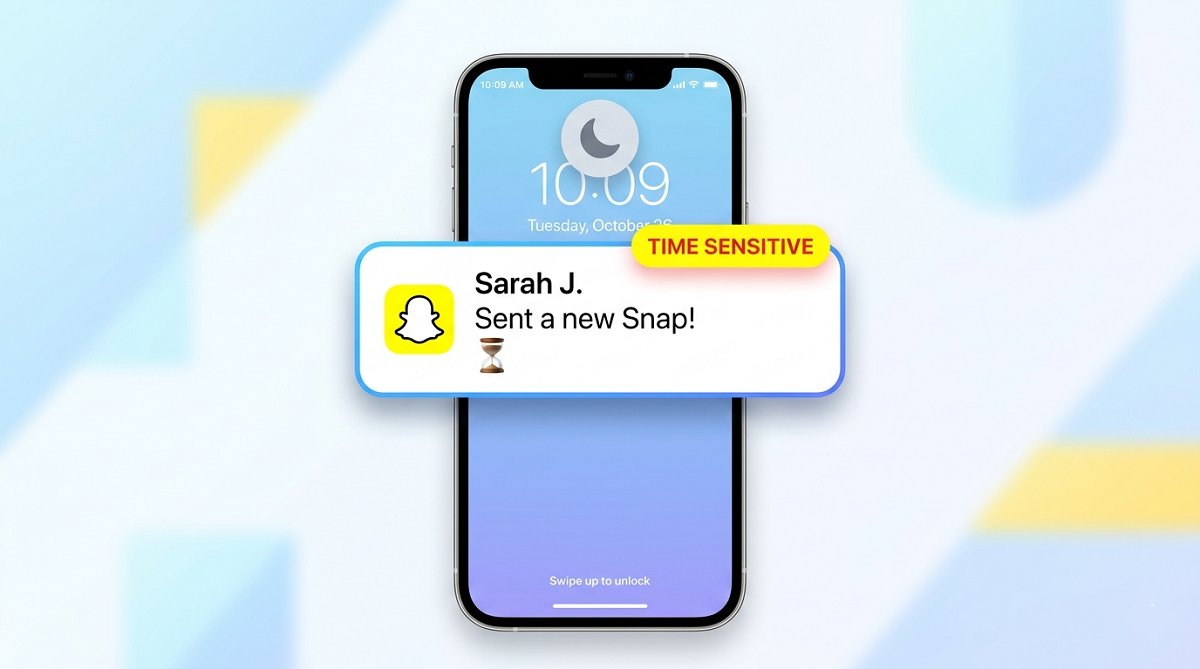
A time sensitive notification on Snapchat is an urgent alert that bypasses your iPhone’s Do Not Disturb and Focus modes to deliver critical time-bound information. These notifications appear when Snapchat determines a message requires immediate attention, such as a streak expiration warning or a reply to your private story. Apple introduced this feature with iOS 15, and Snapchat uses it strategically to ensure you don’t miss time-critical interactions.
The Origin and Purpose of Time Sensitive Notifications
Apple created the Time Sensitive notification system as part of iOS 15’s Focus mode framework. The purpose was simple: allow essential alerts to break through silence settings while keeping non-urgent notifications quiet. Snapchat adopted this system to handle messages that lose value after a short window.
The core purpose of time sensitive notifications on Snapchat involves 3 main goals:
- Preserve streaks by alerting users before the 24-hour window expires
- Deliver urgent replies from private stories before they disappear
- Notify about expiring content like snaps and story views
Snapchat’s ephemeral nature makes time sensitive notifications particularly useful. Unlike email or text messages that persist indefinitely, a snap disappears after viewing, and a streak ends if neither person sends a snap within 24 hours.
How Time Sensitive Notifications Function on Snapchat
Time sensitive notifications on Snapchat function as a priority override system. When enabled, these notifications appear on your lock screen, make sound, and show up even when your iPhone is in Do Not Disturb or Silent mode.
The system works through 4 key mechanisms:
Priority classification happens on Snapchat’s servers. The app analyzes incoming messages and assigns a priority level based on content type, sender relationship, and time sensitivity.
iOS integration allows Snapchat to tag certain notifications as time sensitive. Apple’s operating system recognizes this tag and permits the alert to bypass Focus modes.
Lock screen appearance differs for time sensitive notifications. They display with a specific visual treatment that distinguishes them from standard alerts.
Sound and vibration override your device’s silent settings. Even with your phone muted, time sensitive Snapchat notifications produce sound and haptic feedback.
What Triggers Time Sensitive Classification on Snapchat
Snapchat uses specific criteria to classify a notification as time sensitive. Understanding these triggers helps explain why some notifications break through your quiet hours while others wait.
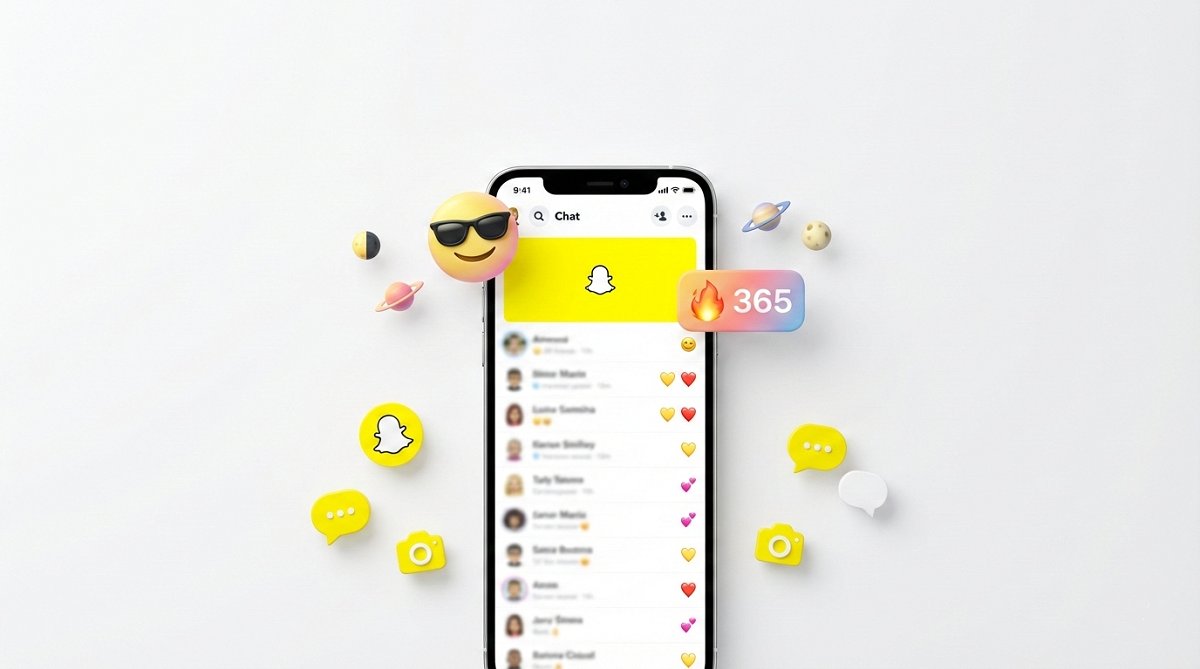
Streak expiration warnings are the most common trigger. When your snap streak approaches the 24-hour deadline, Snapchat sends a time sensitive notification to remind you to send a snap. The hourglass emoji appears in your chat, and the notification warns you about the impending streak loss.
Private story replies trigger time sensitive classification because the reply window is limited. If someone replies to your private story, Snapchat treats this as urgent since the story expires after 24 hours.
Friend request responses receive priority treatment. When someone adds you back or accepts your friend request, Snapchat sends a time sensitive notification about the new connection.
Direct snaps from close friends often trigger time sensitive classification. The algorithm considers your interaction history and relationship strength when determining urgency.
Group chat mentions using @username can trigger time sensitive notifications. If someone specifically mentions you in a group conversation, Snapchat treats this as needing immediate attention.
Snap Map location sharing requests may receive time sensitive treatment. When someone requests your location or shares theirs with you, the notification gains priority status.
The Relationship Between Best Friends and Notification Priority
Best Friends on Snapchat have a direct relationship with notification priority. The app uses your Best Friends list to determine which notifications deserve time sensitive classification.
Snapchat’s algorithm considers 4 factors when assigning priority based on friendships:
Interaction frequency measures how often you snap with someone. Higher frequency generally leads to higher notification priority for that person’s messages.
Reciprocity ratio examines whether both parties engage equally. One-sided interactions may reduce notification priority.
Streak status influences priority significantly. Active streaks with friends elevate their notification importance because streaks require daily maintenance.
Emoji indicators like the yellow heart or red heart signal close friendships. These relationships receive higher notification priority than casual contacts.
The system creates a tiered approach to notifications. Your Best Friends’ snaps and replies get time sensitive classification, while messages from casual contacts may not bypass Focus modes.
Managing Time Sensitive Notifications: A Step-by-Step Approach
Controlling time sensitive notifications requires adjustments in both Snapchat’s settings and your iPhone’s Focus mode configuration.
Disabling Time Sensitive Notifications for Snapchat on iPhone
To turn off time sensitive notifications for Snapchat on your iPhone, follow these 5 steps:
- Open the Settings app on your iPhone
- Scroll down and tap Notifications
- Find and select Snapchat from the app list
- Locate the Time Sensitive Notifications toggle
- Switch the toggle to the off position
After disabling this setting, Snapchat will no longer bypass your Focus modes with time sensitive alerts. All notifications will follow your standard notification settings and Focus mode rules.
Configuring Focus Mode Settings for Granular Control
For more precise control, configure your Focus modes to handle Snapchat notifications specifically:
- Open Settings and tap Focus
- Select the Focus mode you want to modify (Do Not Disturb, Sleep, Work, etc.)
- Tap Apps under the Allowed Notifications section
- Choose Add App and select Snapchat
- Toggle Time Sensitive on or off based on your preference
This approach lets you allow Snapchat notifications during specific Focus modes while blocking them in others. For example, you might allow time sensitive Snapchat notifications during Work Focus but block them during Sleep Focus.
Time Sensitive Notifications: Key Information at a Glance
Feature | Details |
|---|---|
Availability | iPhone only (iOS 15+) |
Purpose | Deliver urgent Snapchat alerts |
Override capability | Bypasses Do Not Disturb and Focus modes |
Common triggers | Streak warnings, story replies, friend requests |
Disable method | iPhone Settings > Notifications > Snapchat |
Android support | Not available natively |
This table summarizes the essential information about time sensitive notifications on Snapchat.
Why Users Experience Frustration with This Feature
Time sensitive notifications cause frustration for several reasons. Understanding these pain points helps explain why many users seek to disable the feature.
Unwanted interruptions during sleep or work hours bother many users. A streak warning at 2 AM defeats the purpose of enabling Do Not Disturb.
Inconsistent classification confuses users. Some unimportant notifications receive time sensitive status while genuinely urgent messages do not.
Lack of transparency about what triggers time sensitive classification leaves users guessing. Snapchat doesn’t explain its priority algorithm clearly.
Limited control options on Snapchat’s end force users to manage the feature through iOS settings rather than the app itself.
Streak anxiety increases when notifications constantly remind users about impending streak expiration. Some users prefer to let streaks end naturally without constant alerts.
Android Users and Time Sensitive Notifications
Android users do not have access to Apple’s Time Sensitive notification system. This feature is exclusive to iOS devices running iOS 15 or later.
However, Android offers alternative notification management options:
Notification channels in Android allow per-category control. You can customize how Snapchat handles different notification types within Android’s settings.
Do Not Disturb exceptions let you allow certain apps or contacts through. Android’s Do Not Disturb mode can be configured to permit Snapchat notifications selectively.
Priority conversations in Android 12+ function similarly to time sensitive notifications. You can mark specific Snapchat conversations as priority to receive their notifications during Do Not Disturb.
App-specific settings within Snapchat’s Android app provide some control over notification behavior, though not as granular as iOS.
Best Practices for Notification Management on Snapchat
Managing Snapchat notifications effectively requires a balanced approach. Here are 5 best practices for notification management:
Review your notification settings monthly. Snapchat updates its app frequently, and notification behavior can change with new versions.
Disable time sensitive notifications during sleep hours. Use a Sleep Focus mode that blocks all Snapchat notifications, including time sensitive ones.
Customize notification types within Snapchat. The app lets you choose which events trigger notifications. Disable notifications for features you don’t use.
Use Snapchat’s notification scheduling. The app offers options to mute notifications during specific hours. Set these to match your sleep and work schedule.
Consider your streak priorities. If streak maintenance causes anxiety, disable streak notifications entirely. The feature is optional, and losing a streak isn’t critical.
The Future of Priority Notifications on Social Platforms
Priority notification systems like Snapchat’s time sensitive feature represent a growing trend in social media. As platforms compete for user attention, notification systems become more sophisticated.
AI-driven priority classification will likely improve. Future systems may learn individual user preferences and adjust notification priority accordingly.
Cross-platform standardization may emerge. Apple’s Time Sensitive framework could inspire similar systems on Android and other operating systems.
User control expansion is inevitable. Platforms face pressure to give users more granular control over notification behavior.
Privacy considerations will shape development. As notification systems analyze user behavior to determine priority, privacy concerns will influence design decisions.
Streak preservation features may evolve. Snapchat could develop alternative systems that reduce the need for intrusive notifications while maintaining user engagement.
Conclusion
Time sensitive notifications on Snapchat are urgent alerts that bypass your iPhone’s Do Not Disturb and Focus modes to deliver time-critical information about streaks, story replies, and friend requests. Apple introduced this feature with iOS 15, and Snapchat uses it to ensure you don’t miss interactions that expire within 24 hours. You can disable time sensitive notifications in your iPhone’s Settings under Notifications > Snapchat, or configure Focus modes for granular control. Android users don’t have access to this specific feature but can use alternative notification management options. Understanding how time sensitive notifications work helps you take control of your Snapchat experience and reduce unwanted interruptions.
Frequently Asked Questions
What does “Time Sensitive” mean on Snapchat?
Time Sensitive on Snapchat means a notification that bypasses your iPhone’s Do Not Disturb and Focus modes to deliver urgent, time-bound information. These notifications appear for streak expiration warnings, private story replies, friend request responses, and other time-critical interactions that lose value after a short window.
Why does Snapchat bypass Do Not Disturb with time sensitive notifications?
Snapchat bypasses Do Not Disturb because Apple’s Time Sensitive notification system allows apps to mark certain alerts as urgent. This system was designed for time-critical information like ride-sharing pickups or food delivery updates. Snapchat uses it for streak warnings and story replies because these interactions expire within 24 hours.
Can I turn off time sensitive notifications for Snapchat?
Yes, you can turn off time sensitive notifications for Snapchat. Open your iPhone’s Settings app, tap Notifications, select Snapchat, and toggle off Time Sensitive Notifications. After disabling this setting, Snapchat will not bypass your Focus modes with urgent alerts.
Are time sensitive Snapchat notifications available on Android?
No, time sensitive Snapchat notifications are not available on Android. This feature is exclusive to Apple’s iOS 15 and later operating systems. Android users can manage Snapchat notifications through notification channels, Do Not Disturb exceptions, and priority conversation settings.
What triggers a Snapchat notification to be marked as time sensitive?
Snapchat triggers time sensitive classification for streak expiration warnings, private story replies, friend request responses, direct snaps from close friends, group chat mentions, and Snap Map location sharing requests. The algorithm considers interaction history, relationship strength, and content expiration when determining priority.